
Design Process
Role & Experience
Throughout my career, I have developed complex applications to serve people all across the United States. I love tech products and appreciate how useful they can be when used as intended. Often, the products are expensive, and that comes with quality. Quality is essential, especially when you need a device that can last for a long time. I aim to make tech products accessible and affordable, ensuring everyone can afford them. My experience as a designer and engineer contributed to creating everything from ideation to a finished product. I wanted to build a fully customized shopping experience that lets customers have a seamless experience from start to finish.
Attraction and Simplicity
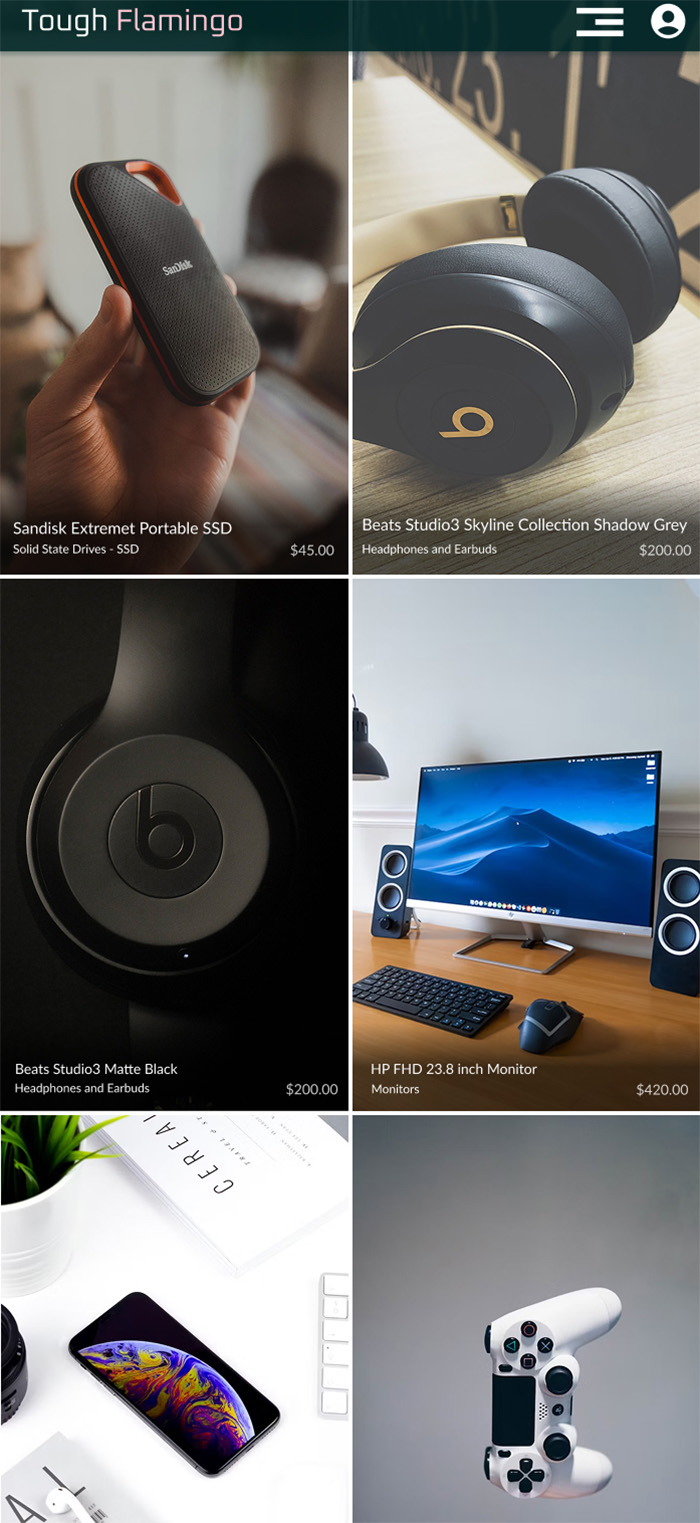
I have always wanted to create an online store to provide a service, as technology products will always be in demand, whether people need them out of necessity or want them. The most critical area is determining which market I want to target and how I will bring the store to the public's attention. People must perceive a need for what they want to buy. Once they have decided to make a purchase, the process has to be seamless and straightforward.
Research
I began my research by visiting the websites of Apple, Google, and Microsoft to see which products they showcased above the fold. This helps me understand their customers' engagement. Generally, your store app should display your best products when viewers arrive on the home page. I also examine retailers such as Best Buy, Walmart, and Amazon to understand how they structure their pages to effectively showcase the products they offer. Next, I focused on the product description page and the checkout process. I quickly searched for the location of the 'Add to Cart / Add To Bag' button on desktop and mobile devices to gauge the effort required to create my shopping cart. From there, I viewed my shopping cart to see how it would appear and how I could access it, which led to checkout. I documented features to carry over to my store, including descriptions and specifications.
Design & Rationale
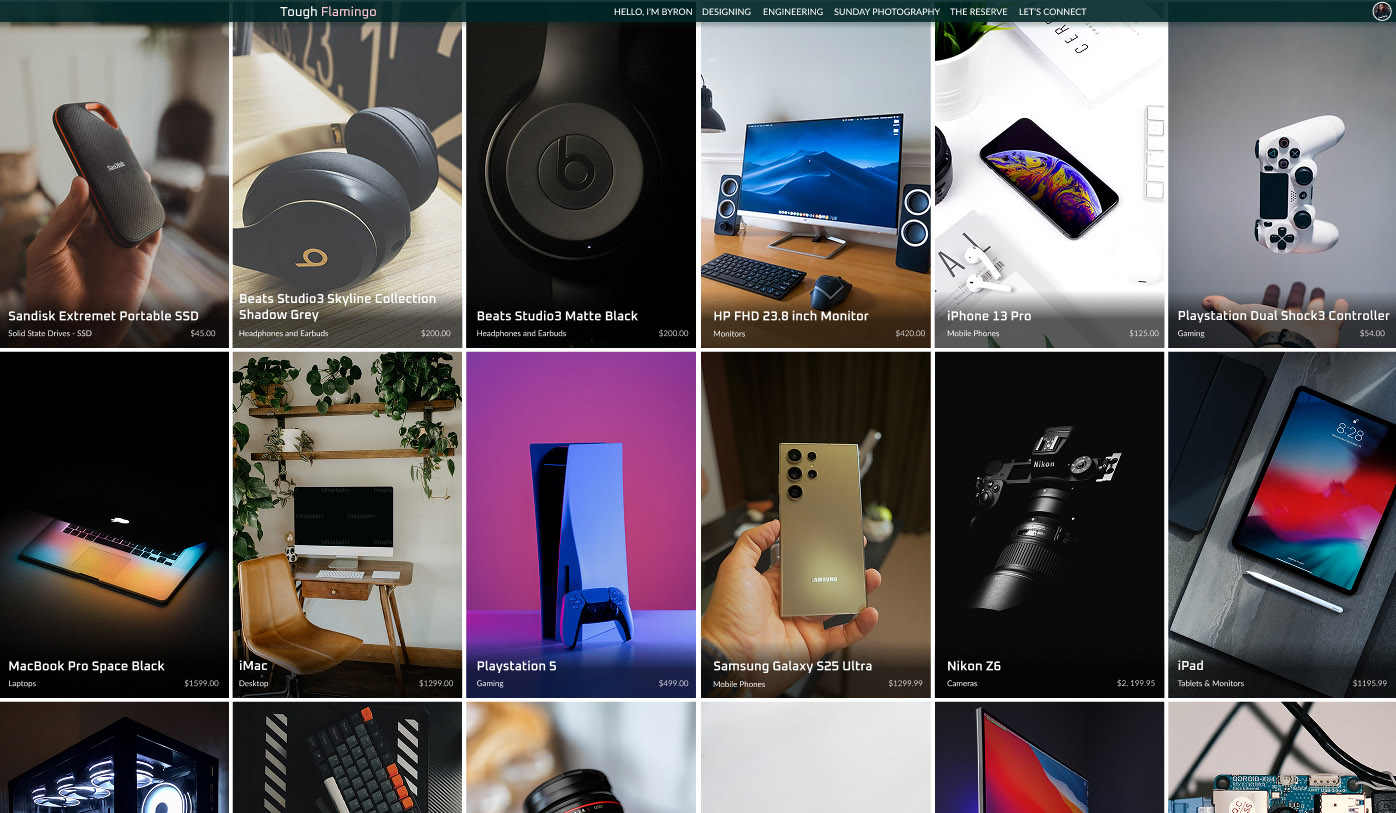
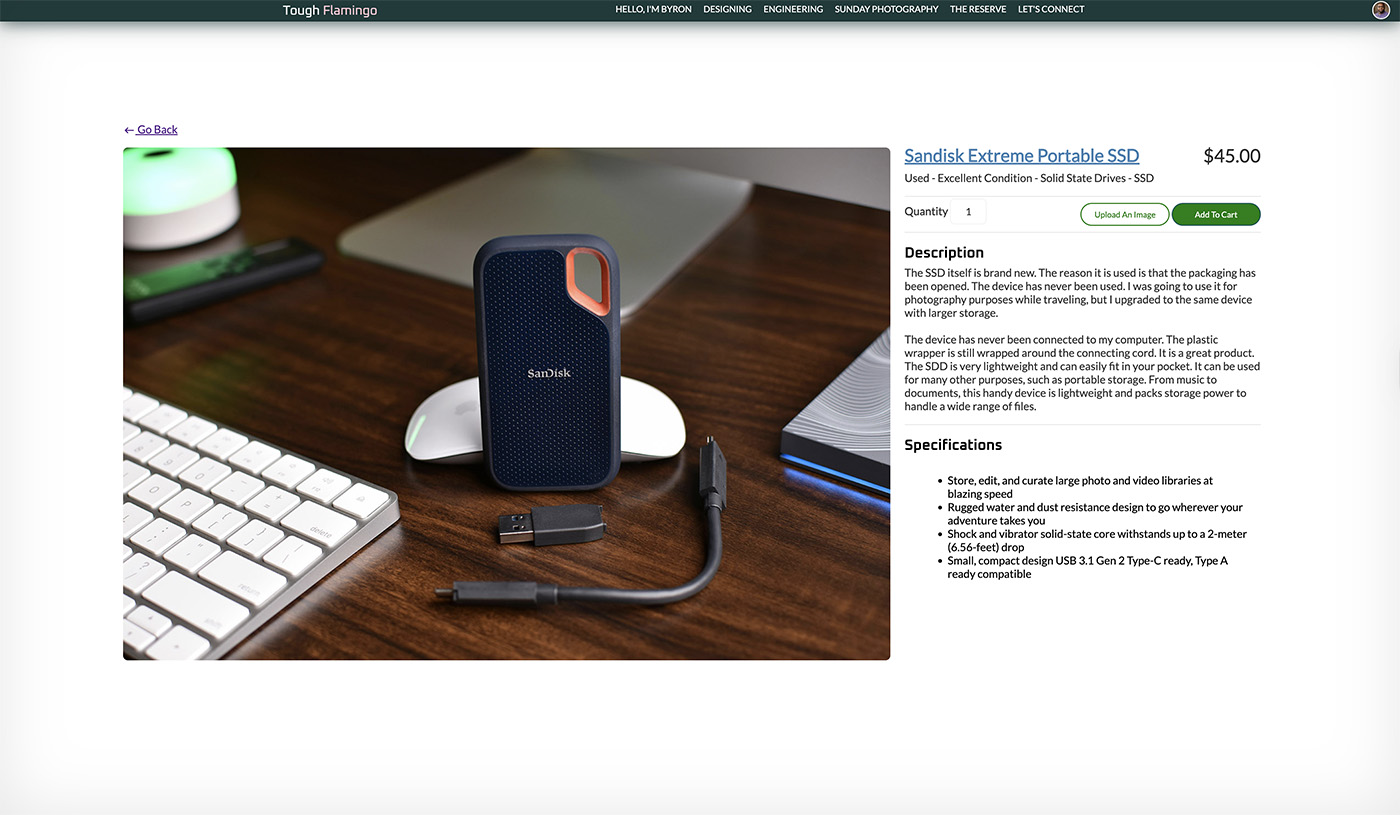
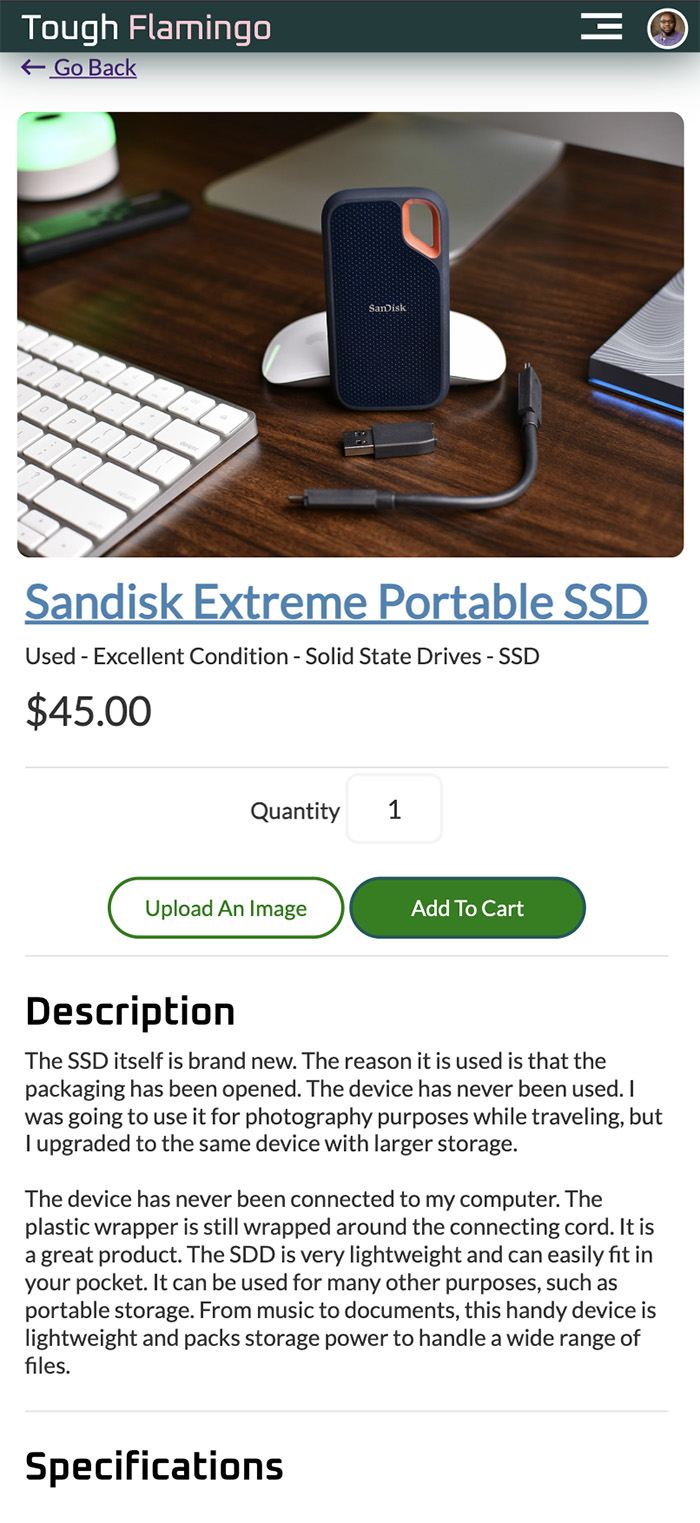
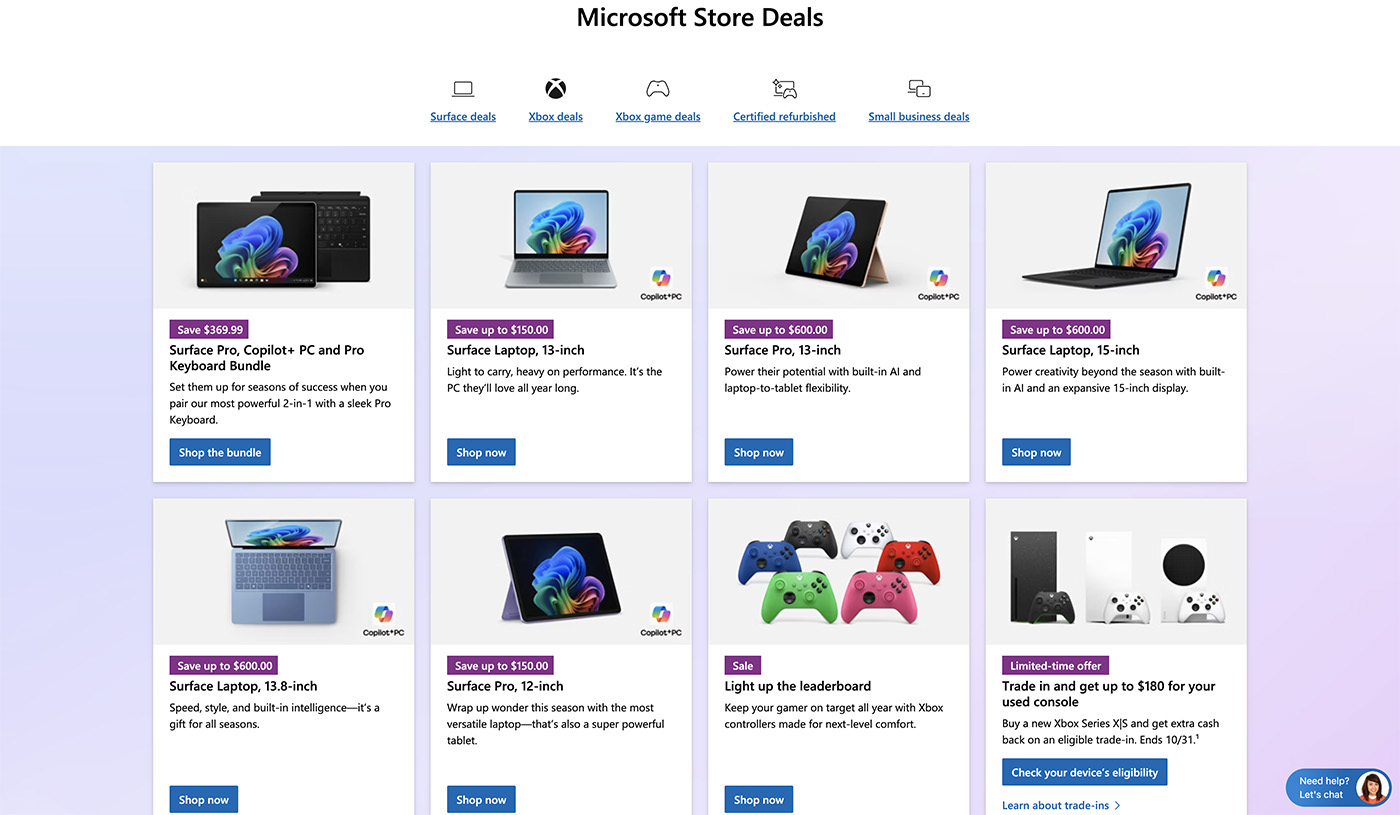
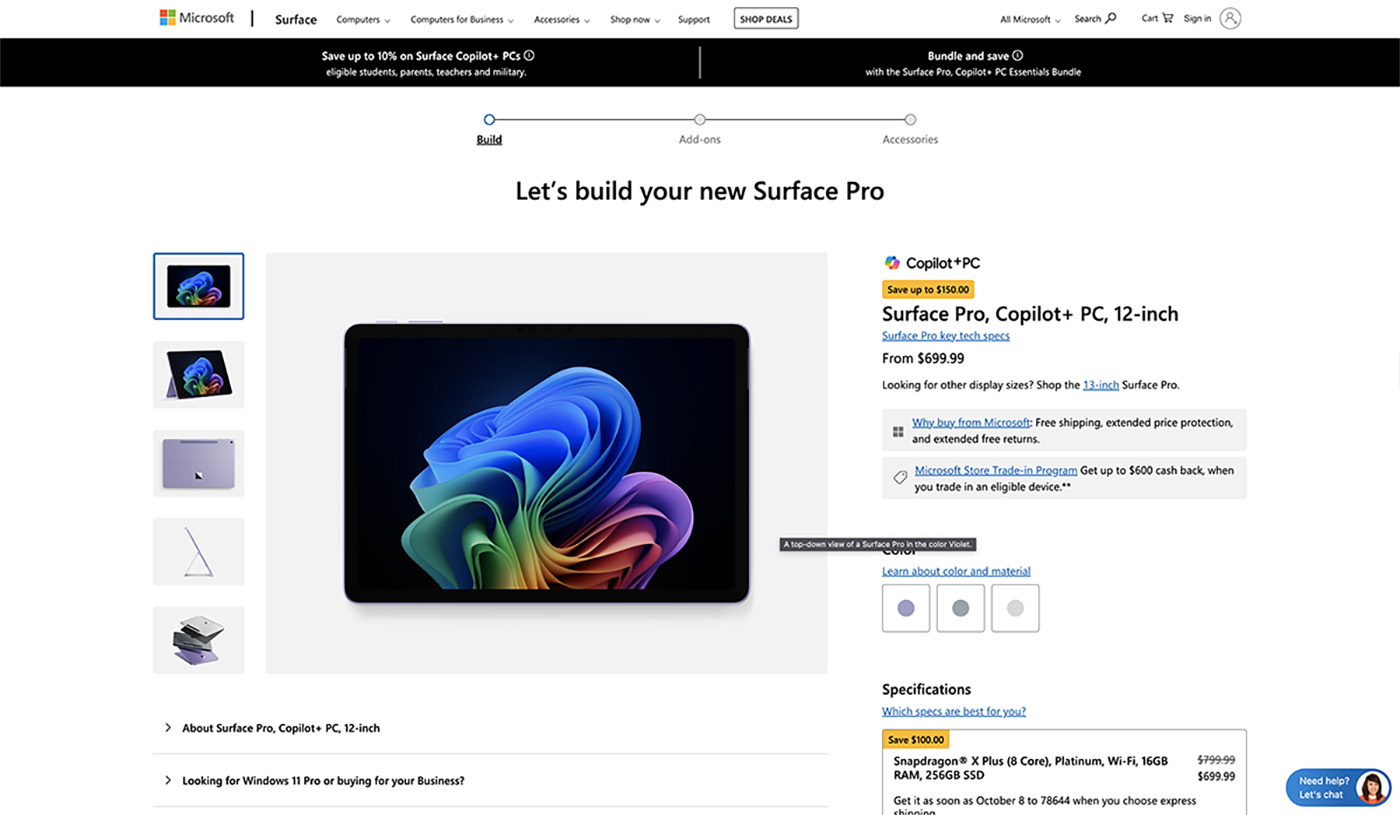
After reviewing various sites, gathering data, and examining their layouts, I selected the Microsoft site as my layout. When you visit the Microsoft Store site, products are displayed in a grid. Unlike the other sites, you have to click a category or scroll through the site. Microsoft shows its products to the user up front. Within my website, I already had a grid component available. I didn't have to make anything from scratch. When you see a product you like, you are sent directly to the product description page for more information. With two clicks, the user has reached the description page to add the product to their cart.
Adding Items To the Cart
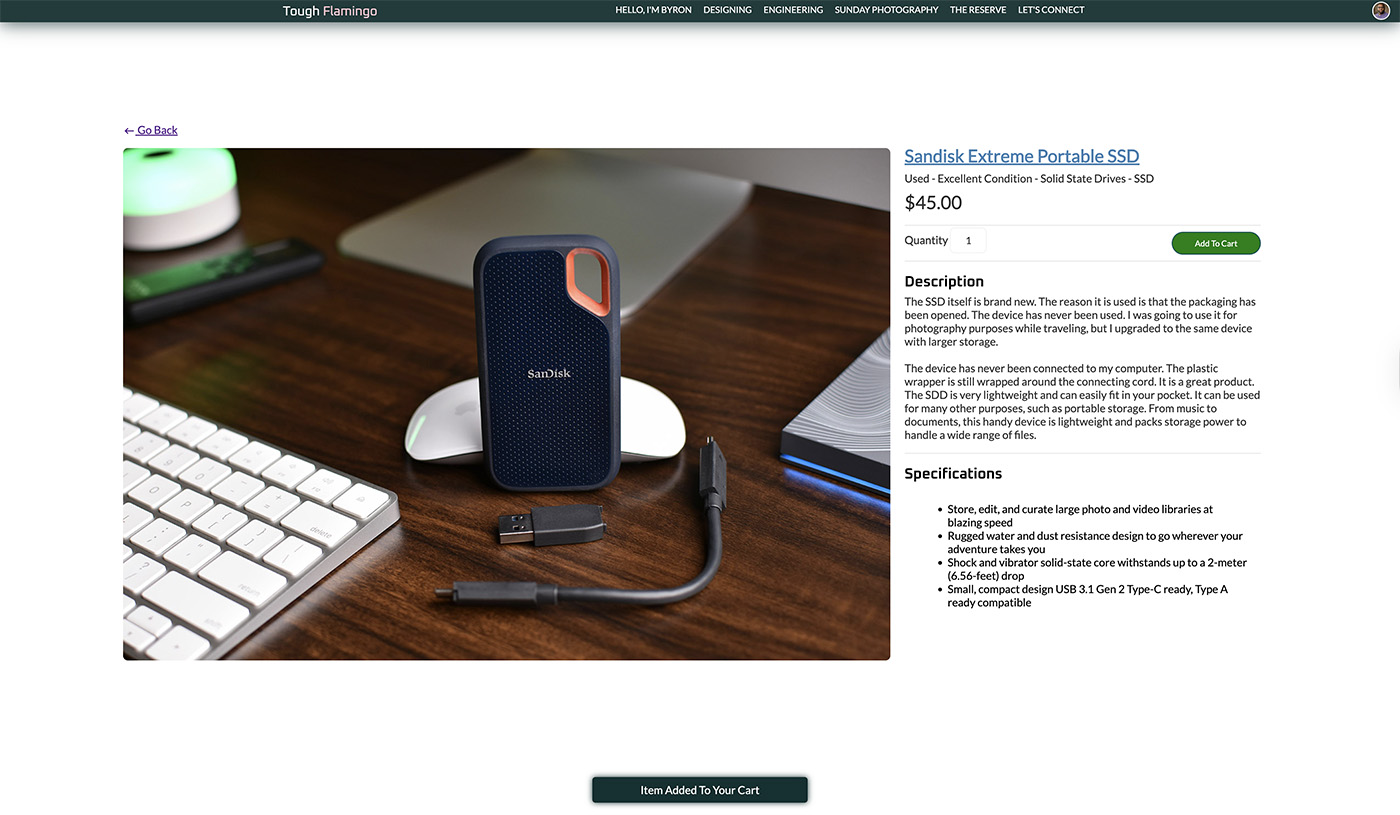
Adding items should be seamless. While the user is shopping, the shopping cart should keep a record of the items they want to purchase without interrupting their flow. When a user adds an item to their cart, a subtle notification appears to confirm the addition. A link is provided in the bottom-right corner of the screen to allow users to view the cart page. The component also keeps a record of the number of items in the cart and the total price as the user continues shopping. The purpose is to ensure the user isn't distracted while remaining aware of the items in their cart and the cost as the cart updates in real time.
Shopping Cart & Checkout
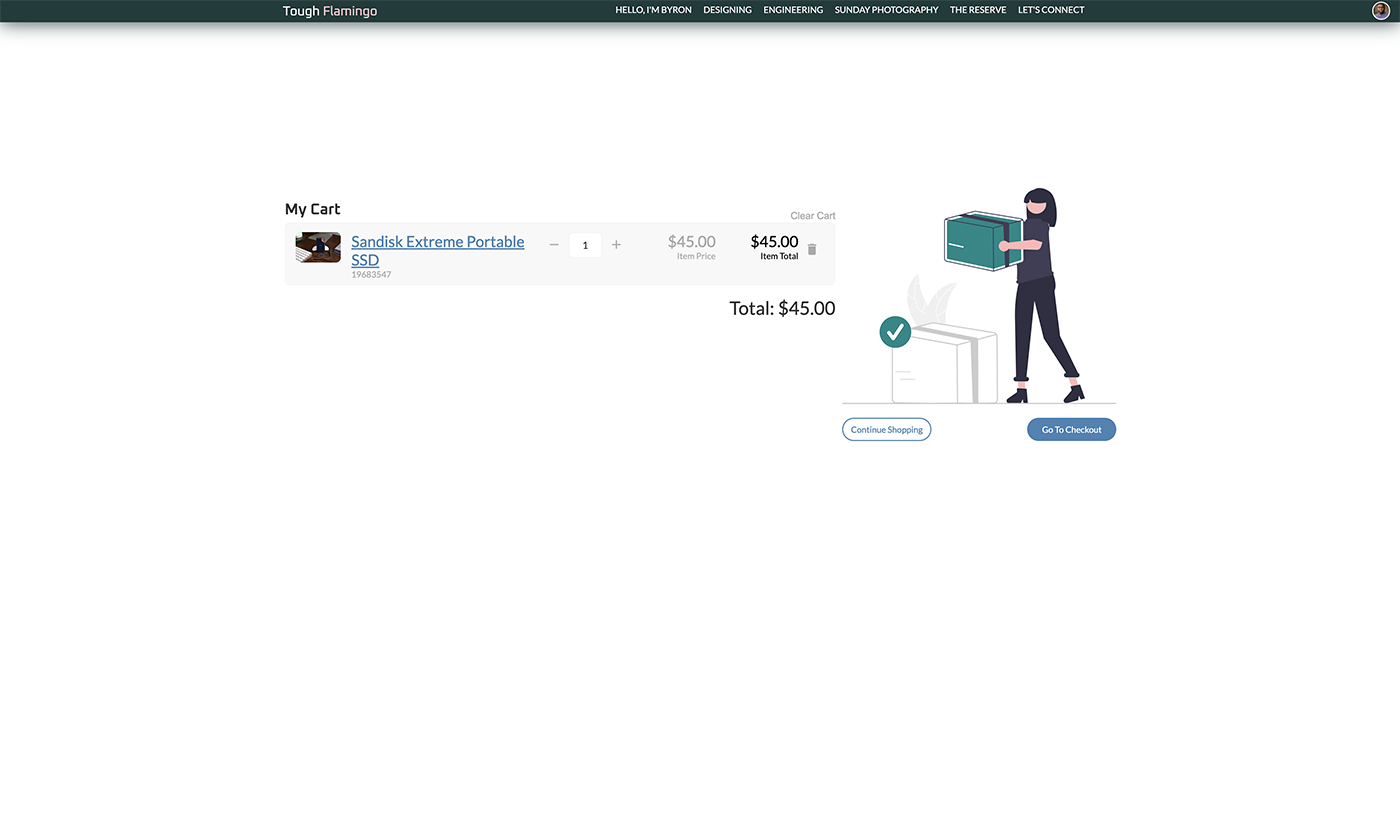
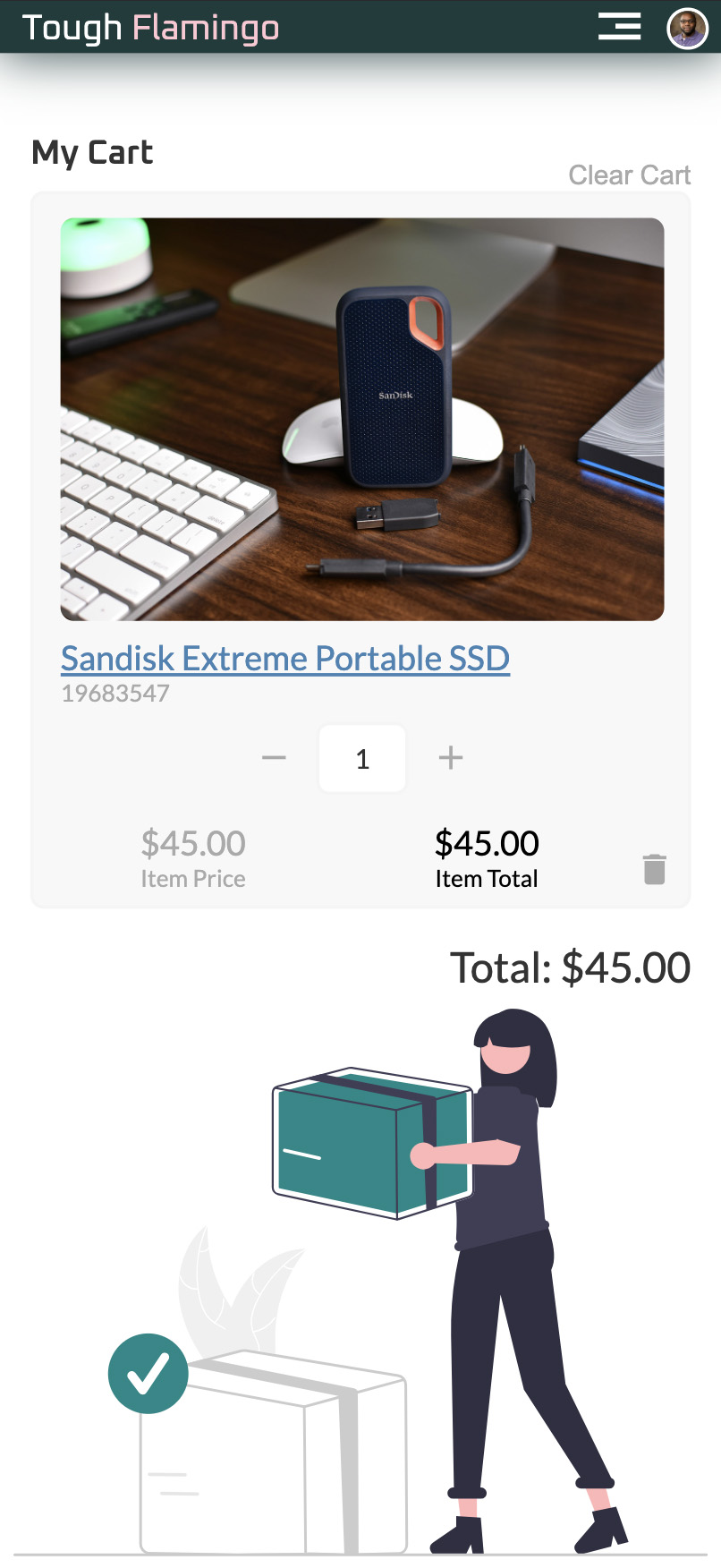
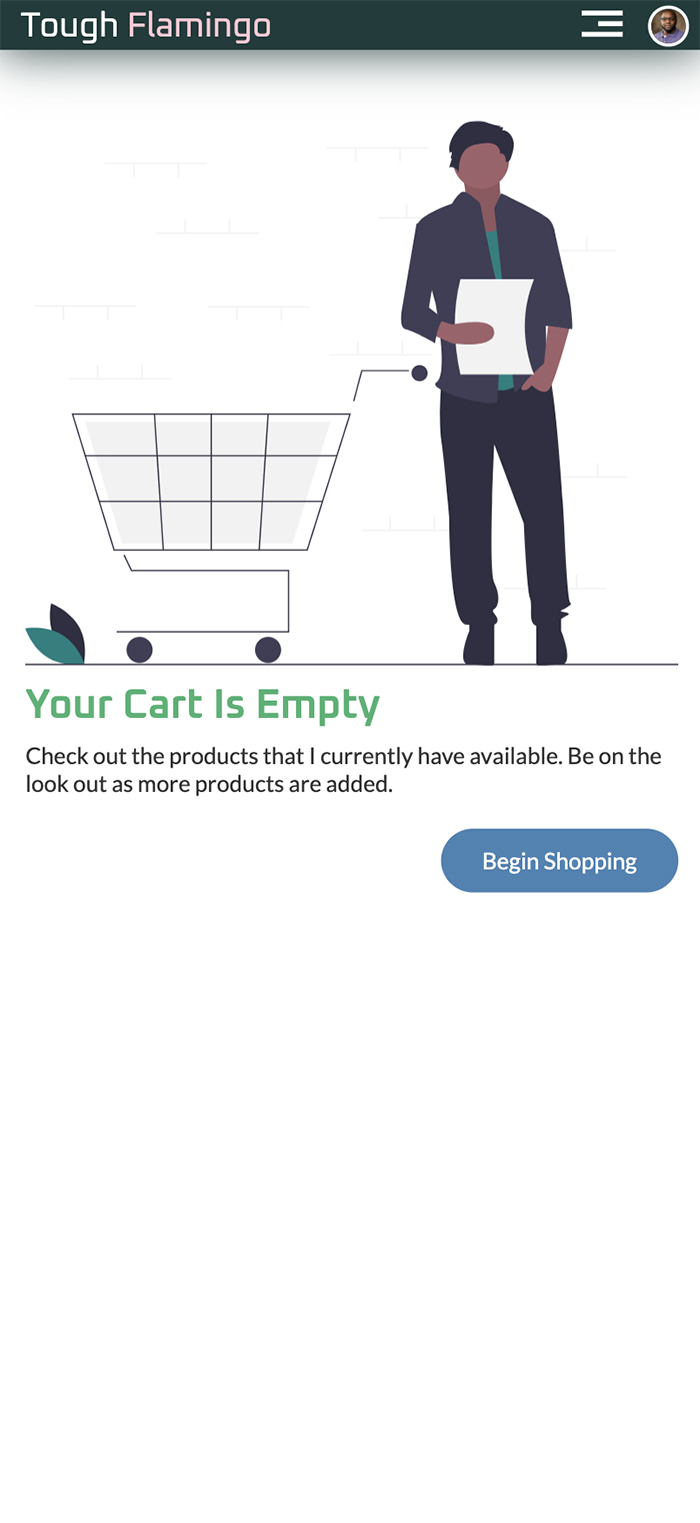
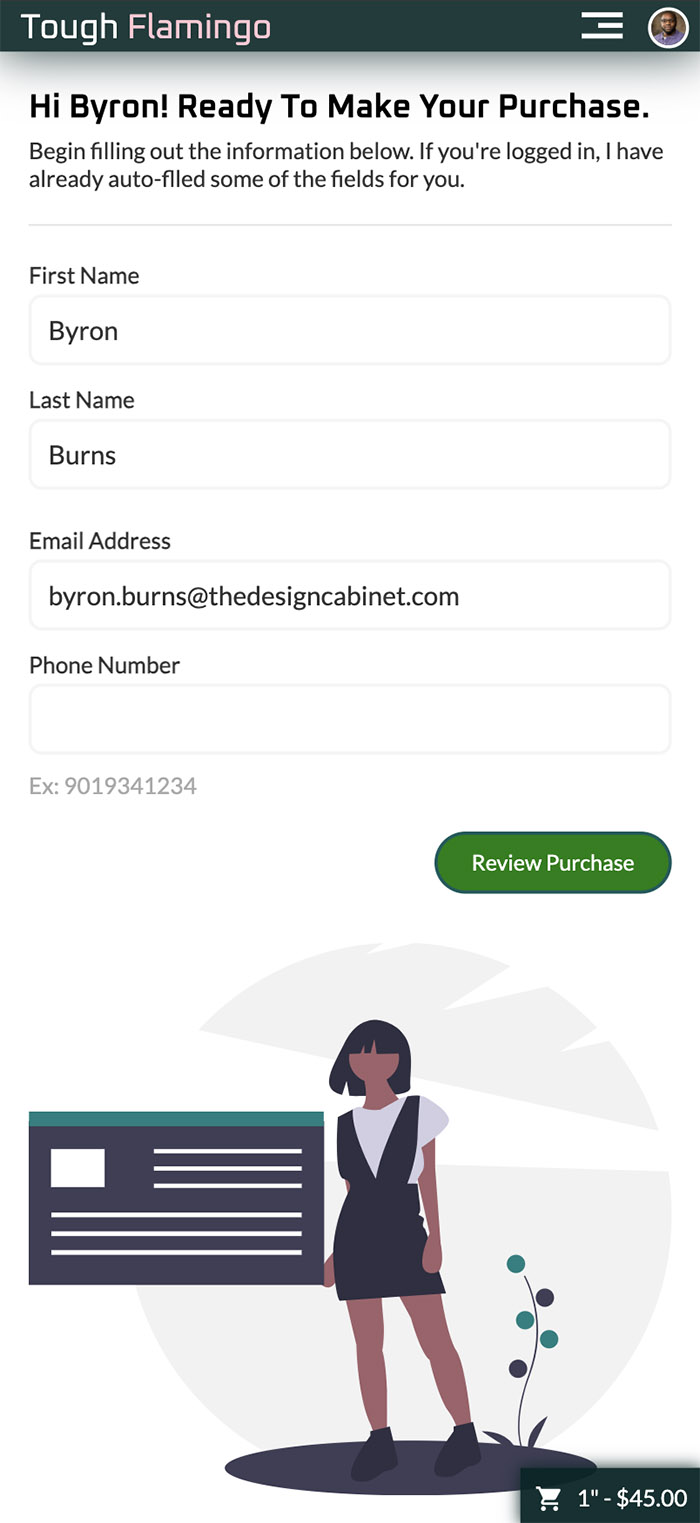
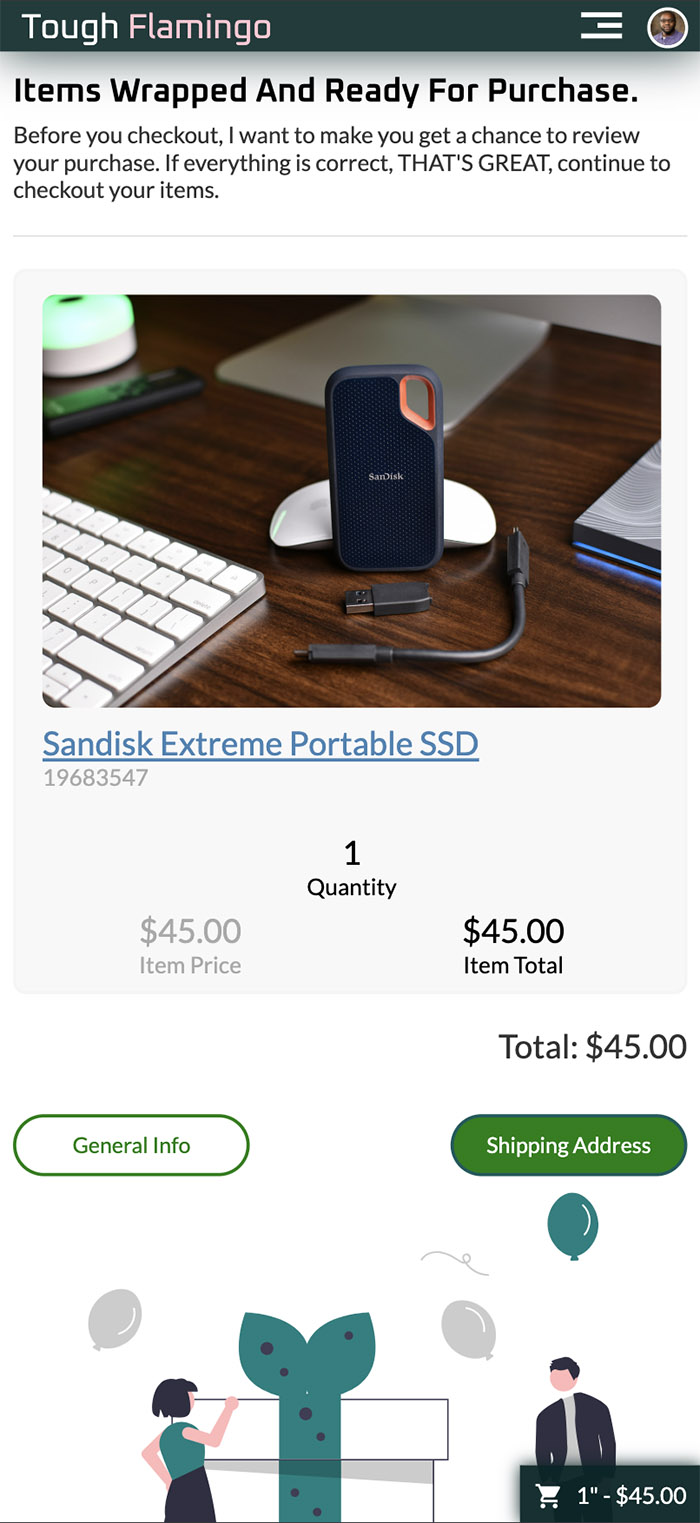
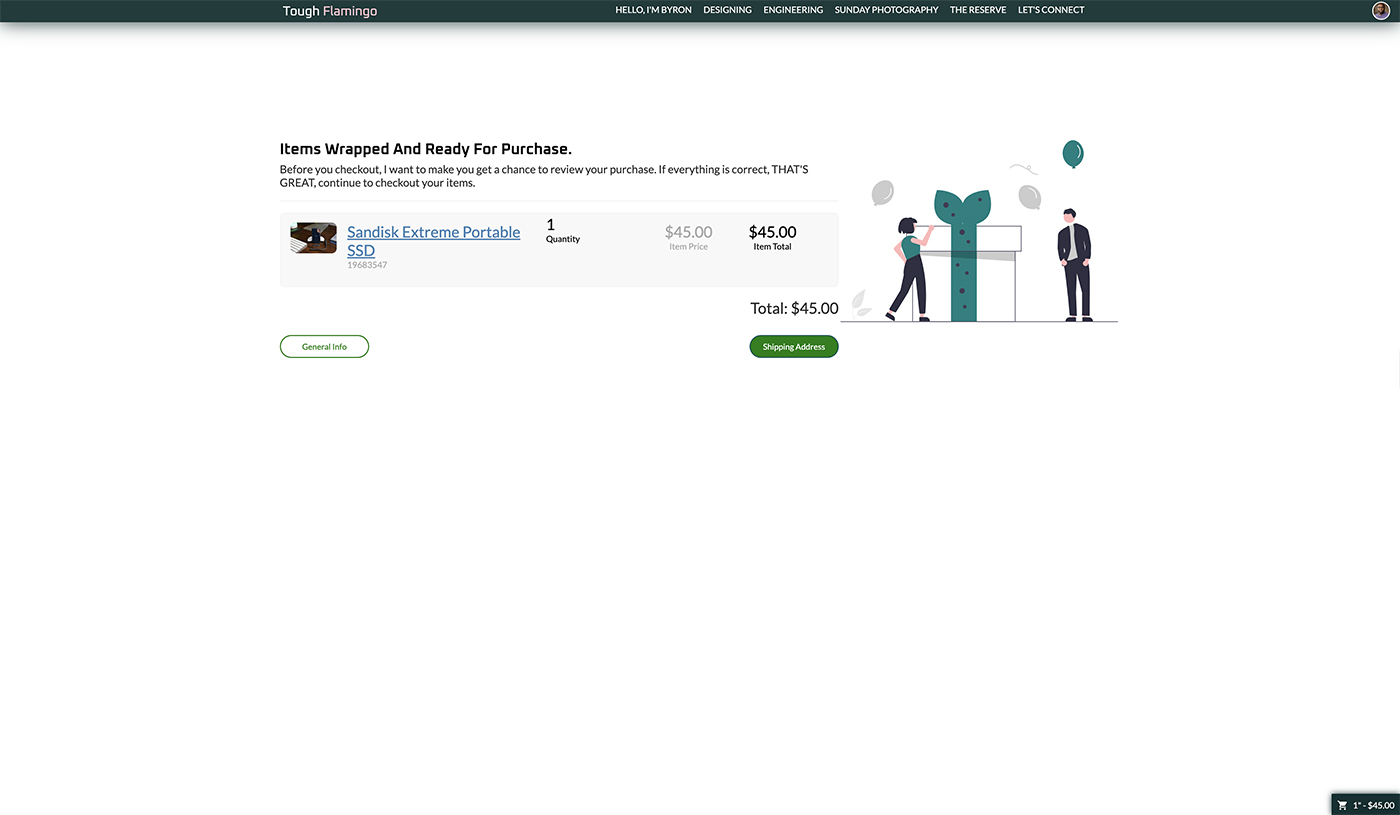
The shopping cart can be accessed at the cart view level. The view allows the customer to see and update the cart. The functionalities include: removing items from the cart, clearing the entire cart, and changing the quantity. The cart will adjust prices in real time so customers are aware of changes. The cart also displays the item price and line total, calculated based on the quantity. To help with error validation, the quantity will prevent the customer from entering a zero quantity or exceeding the available stock quantity.
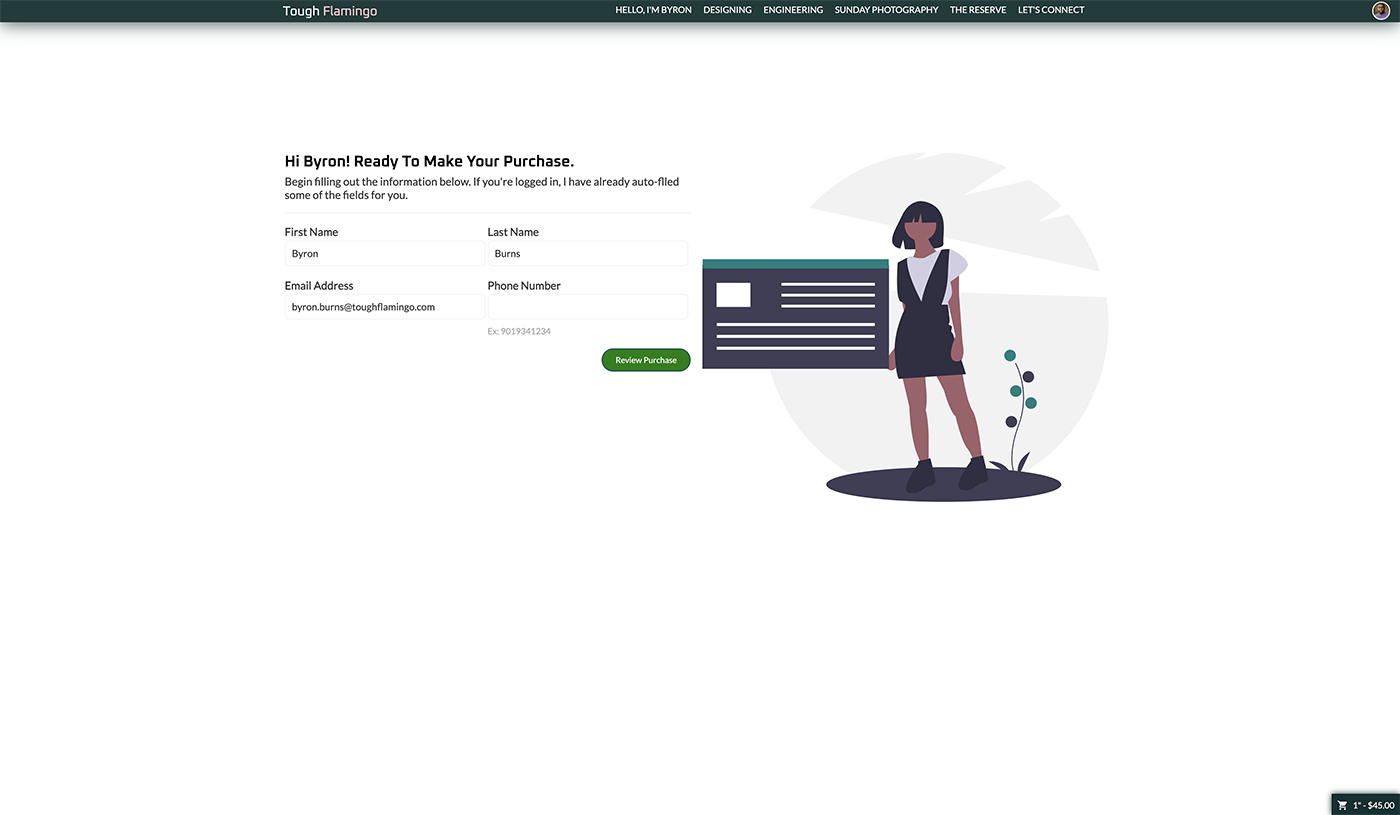
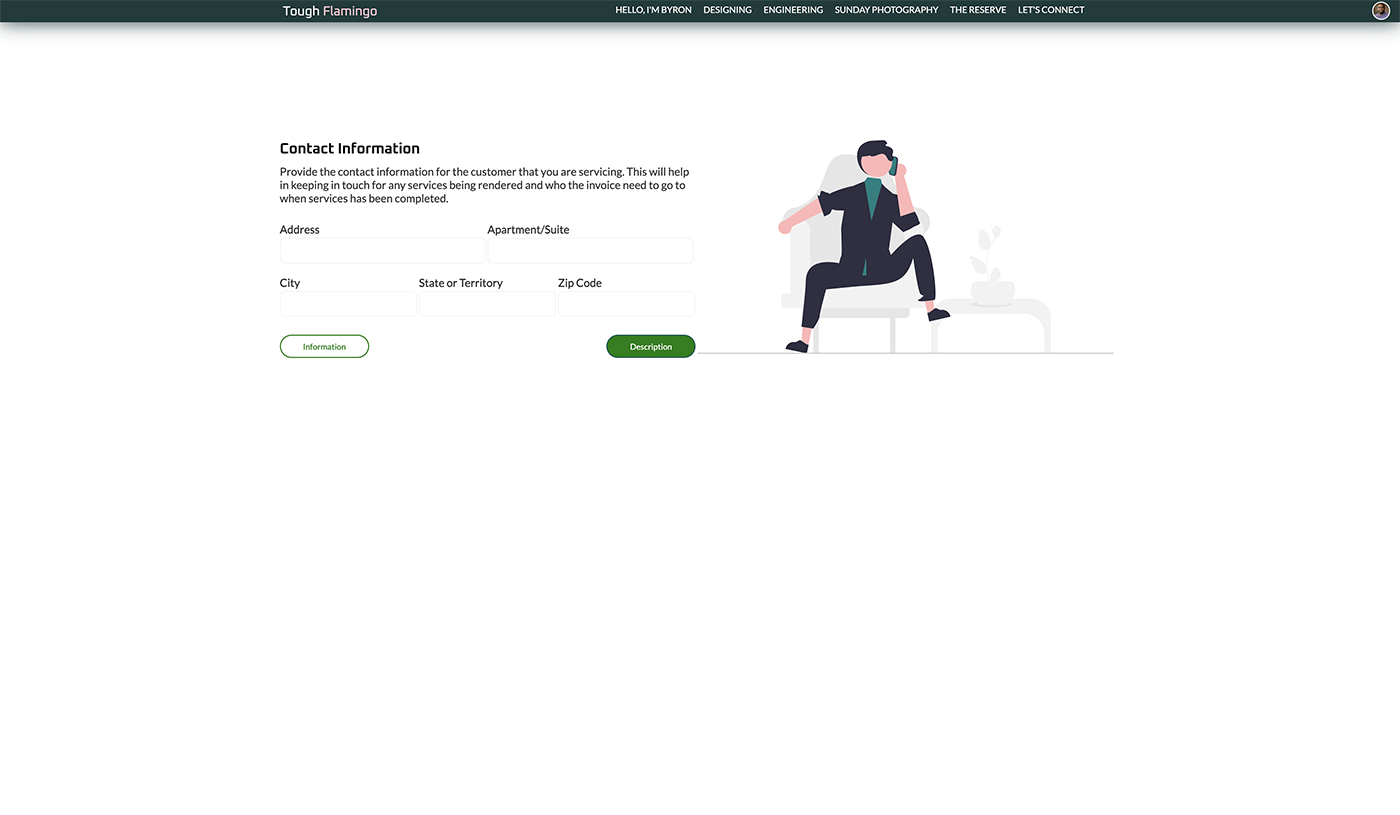
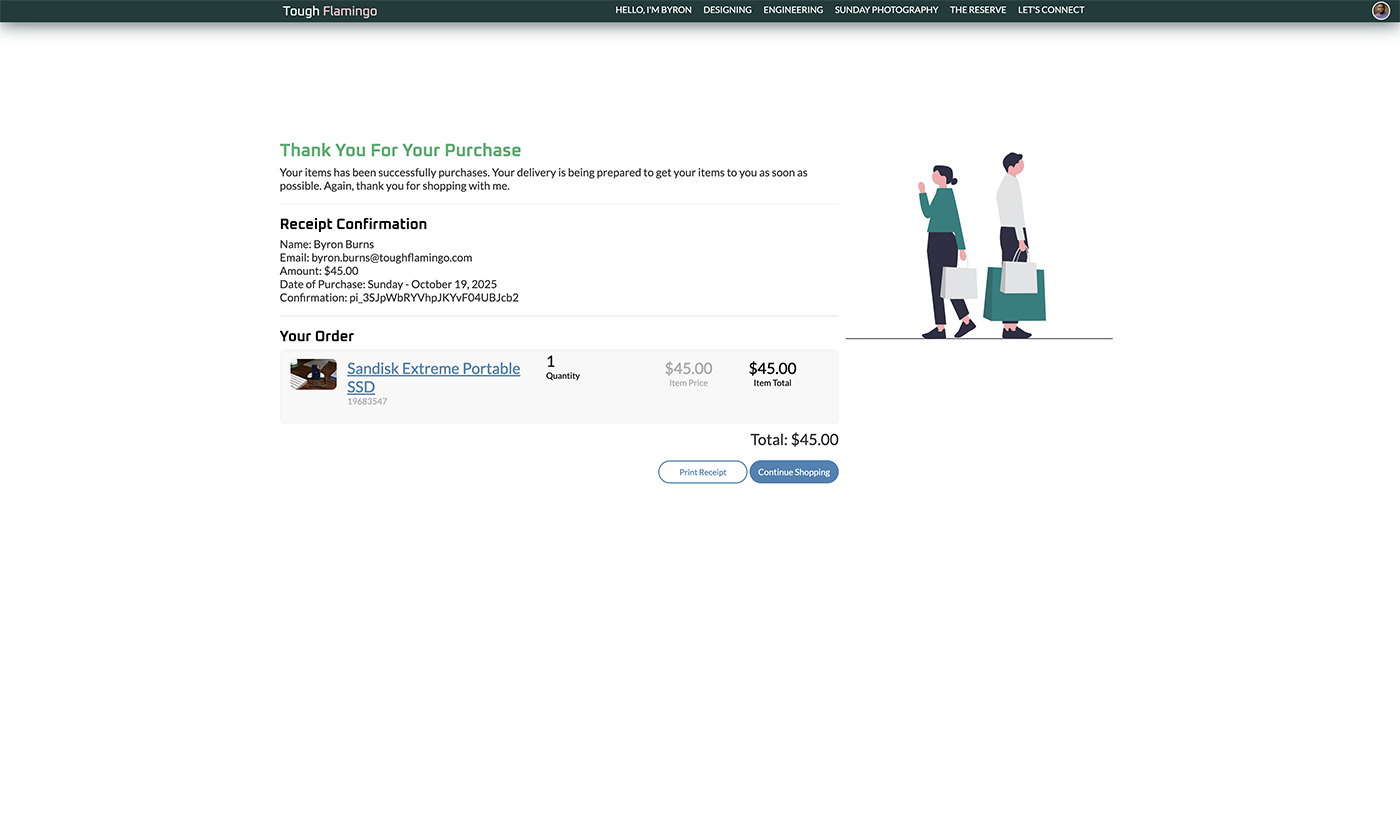
Once the customer is ready to check out, they can provide their information through the [Reserve] system, using Stripe as the PCI-compliant payment processor for transactions. I will receive notifications and prepare to ship the item(s). The customers will receive a notification that their payment has been successfully processed. An email notification will also be sent to the customer's provided email address.
Stripe Integration
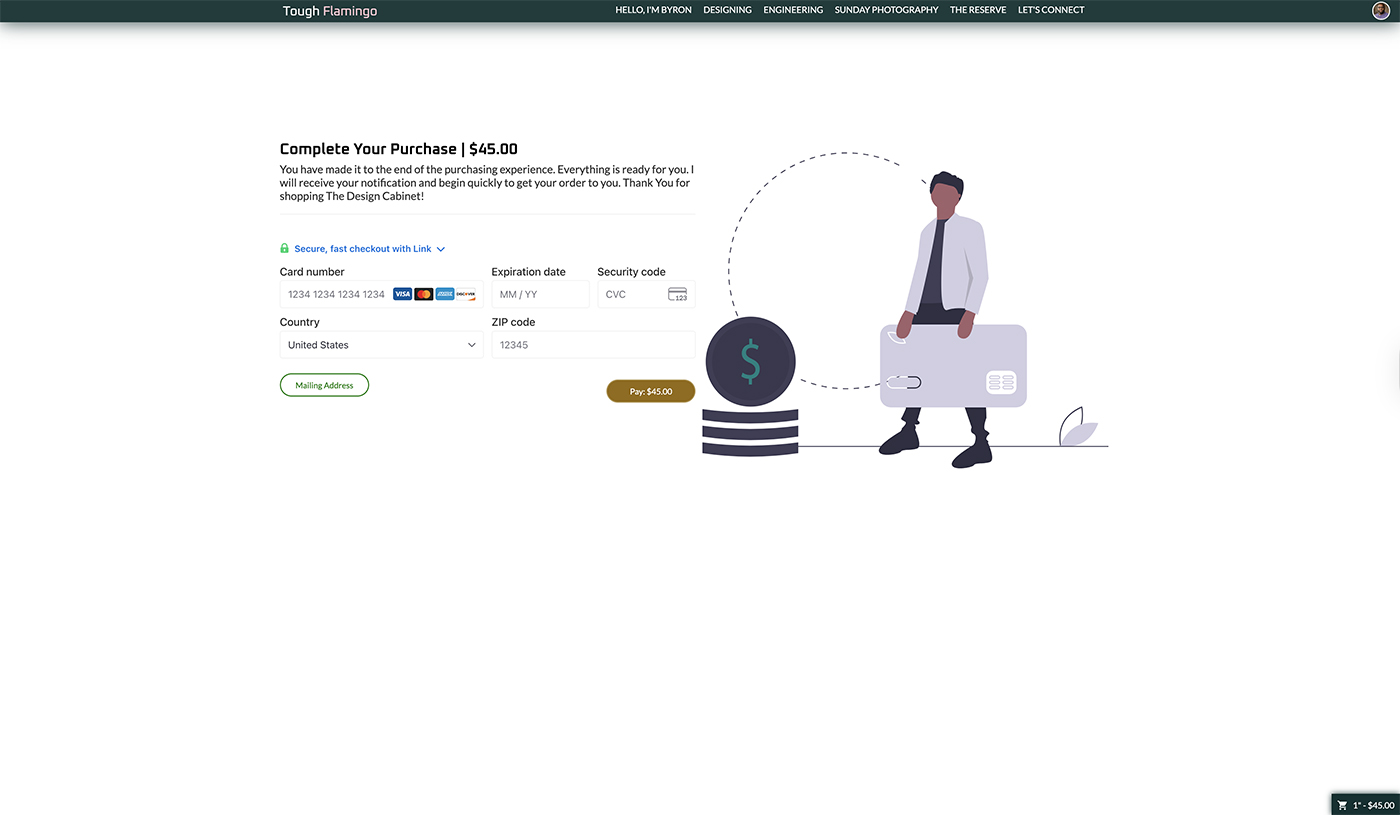
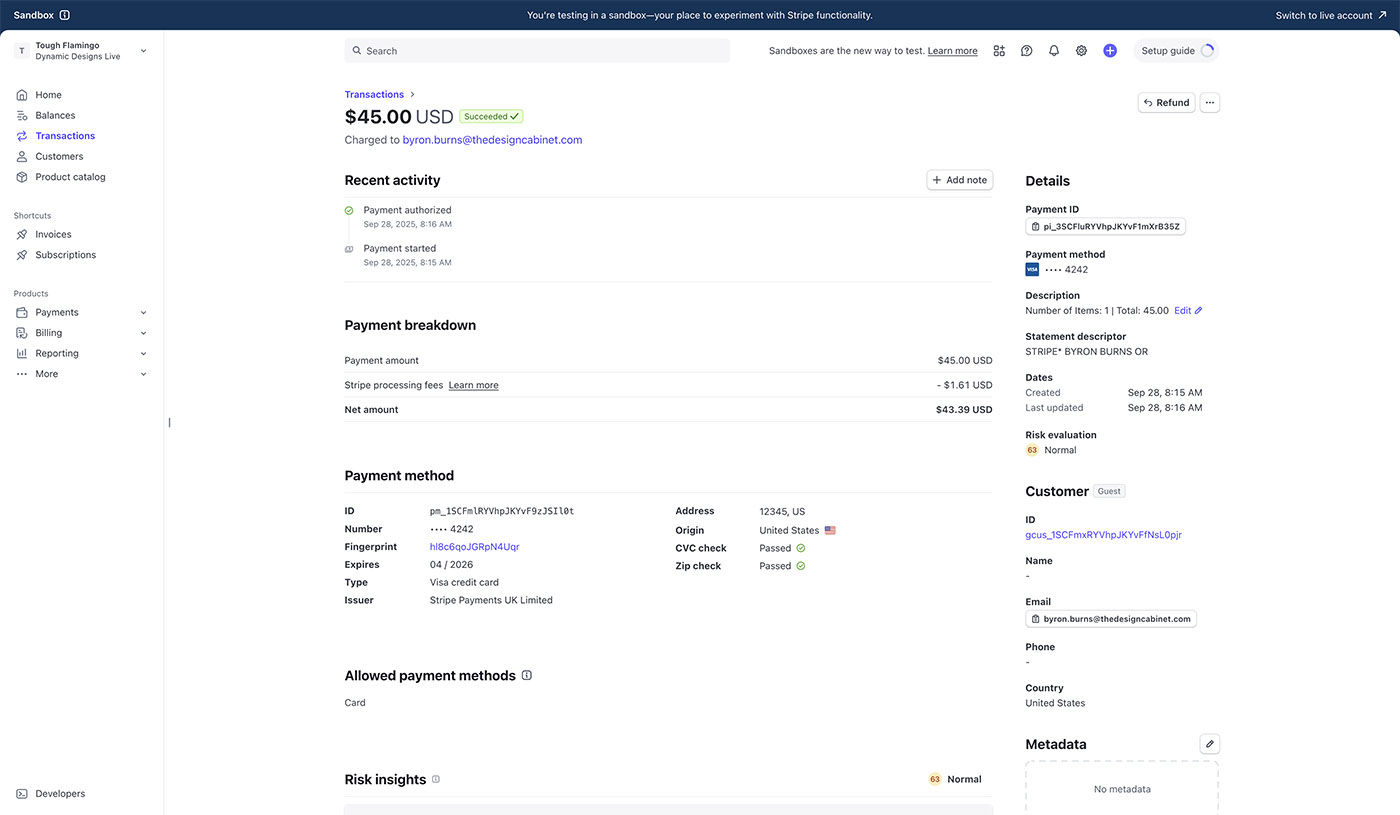
To process all transactions, Stripe's API has been integrated into the website for payments. The API is a great feature that allows customers to stay on the site, with all page notifications handled by me based on Stripe responses. The features will further enable tracking the payment and sending the receipt to the customer. The Stripe API gives me complete control over the frontend while Stripe handles all the transactions on the backend, allowing users to continue shopping on the site.
Challenges & Solutions
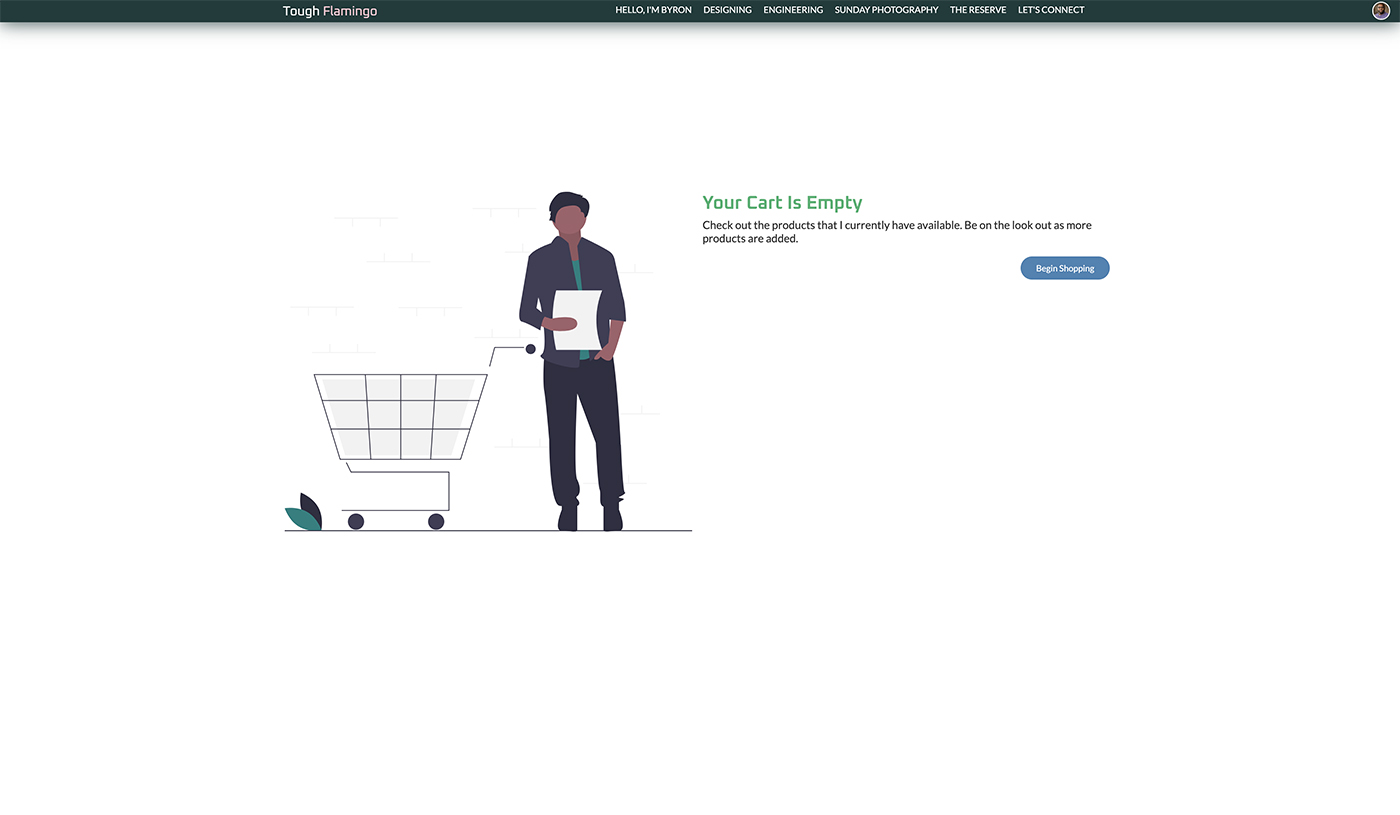
A key challenge that I experienced was tracking the status of a product. It is a tedious process because the little things that need to be tracked significantly impact the customer's shopping experience. Is the item in stock? How many are in stock? If a customer has an item in stock and the last one is suddenly bought, how would the customer be notified? When a product is out of stock and a customer has it in their shopping cart, the cart will not remove the item, but disable it. The purpose of not removing the item is to ensure that the customer doesn't think there was an error in the cart or with themselves. The product will be disabled, and the total will be recalculated to reflect the update. The customer can choose to remove it.
Results & Impact
Utilizing Stripe as the central payment processor has the most significant impact on the store's operations. Stripe is PCI-compliant to help ensure that sensitive information, such as credit card numbers, is securely processed. Stripe provides a pre-built form to embed on the site. That added more security because that means I don't have to create a form myself. I am not a big fan of using JavaScript to send and receive sensitive information. I had to make sure I did my part on the front end to ensure the data is difficult to track.
Final Reflections
It has been yet another project where I set a goal and completed it. I've always wanted to open and run a store. Having a strong background in research, design, and engineering brought everything to the forefront. The next step is to start adding more items to the page and preparing them for sale, building customers' trust in the process.
Next Step
It doesn't stop here. I plan to make a mobile app for now and submit it to the App Store. Currently, I am using cookies to keep track of shopping cart items. If the customer closes the browser, the cookies will still be recorded and ready for purchase. Eventually, I will add a feature that lets customers save their items, and this is where the database will come into play. I know I will most likely have to migrate the items' shopping cart from cookies to the database so the customer still sees their items in the native app. Without the database, customers will be forced to place the items in the cart again in the app. If they update the cart on one device, the other device will never know. Since I need to build a customer base, I will not implement it right now. However, I have added code to scale and migrate the shopping cart to the database as soon as we see growth.